Showing posts with label photoshop. Show all posts

Make/Draw an Orange with Photoshop

Orange is my favorite fruit. It is very good for our skin. We make/Draw very easily with Photoshop. So, let stat. I hope you are already opened you Photoshop.


1.Get a new Photoshop Document to go File>New (Keyboard Shortcut: Ctrl+N ). Follow this picture and settings.
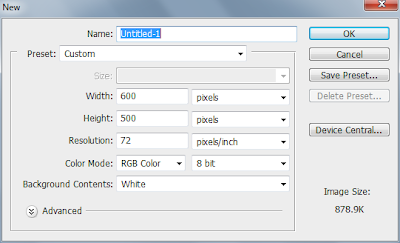
Make/Draw an Orange with Photoshop


2. Create a New Layer (Keyboard Shortcut: Shift+Ctrl+N ). 3. Make a circle to use the Elliptical Marquee Tool and fill it with an orange color. You can use your own select orange color.


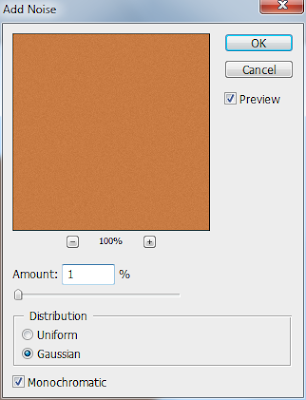
4. Now go to Filter>Noise>Add Noise and add Noise


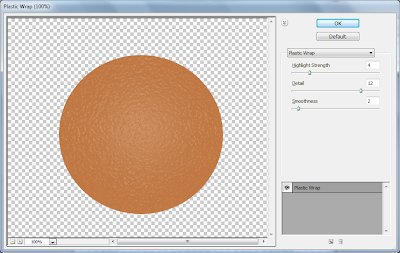
5.Go to the Filter>Artistic>Plastic Wrap with the following settings.


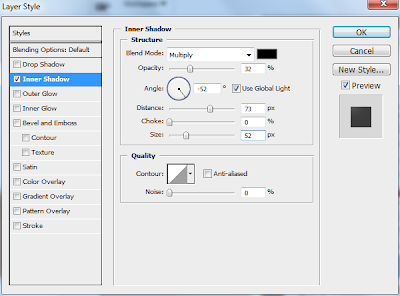
6. Now go Layer>Layer Styles>Inner Shadow and following this effects.


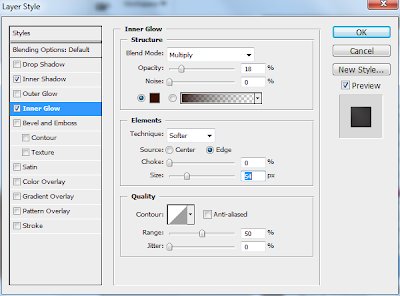
7. Go Inner Glow and following this effects.


8. Go Gradient Overlay and following this effects. 


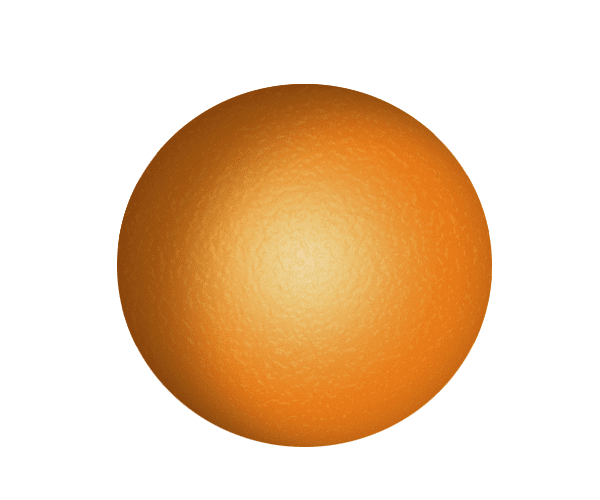
9. If you are done you’re all job correctly. You Orange look like this Orange:  
Now we are add a Navel 10. Get a new Layer. 

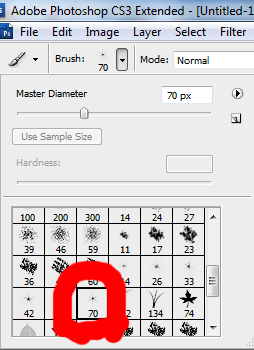
11. Select the Paint Brush Tool and choose the ‘star 70 pixels’ brush form your brushes palette. Without moving your mouse click 3-4 times to get a nice, dark star:


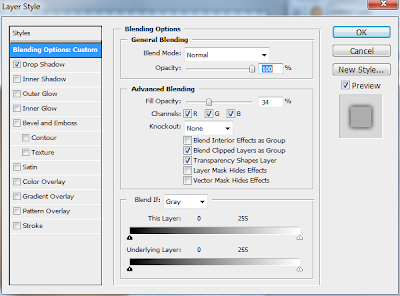
12. Now Go to Layer>Layer Styles> Blending Options and following this effects.
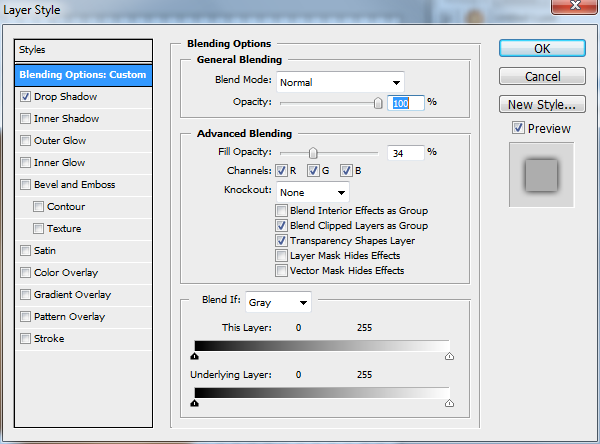


13. Go Brop Shadow and following this effects.
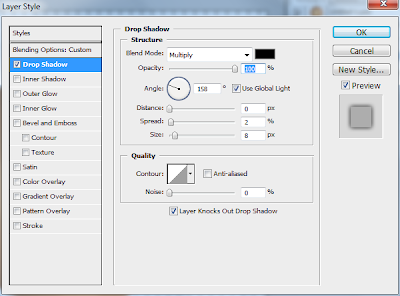


You are make your Orange. Now Save your Document.


“Photoshop Made Easy” a nice Photoshop EBook

Free Download Portable Adobe Photoshop CS5 (70 MB)

Photoshop CS5 was launched on April 12, 2010. Photoshop is the undisputed king of photography software, but many of us who use it every day haven’t bothered to buy every new version. With the launch of Photoshop CS5, which marks the 20th anniversary of the package, I wanted to know if the upgrade was worth the money.

CS5 has four major improvements that – on paper – jumped out at me. The most exciting is content-aware fill – and when I first used it on one of my photos, my jaw dropped.


Significant changes:

  •  Content Aware Fill
  •  Puppet Warp Tool
  •  64 bit for Macintosh
  •  Bristle Tips
  •  Mixer Brush
  •  Automatic Lens Correction
  •  Improved Camera RAW processing
  •  Camera RAW grain control
  •  Improved Ray Tracing (Extended)
  •  Repousse 3D extrusion tool (Extended)
  •  Image based lights (Extended)